Hydration Log Book KDP Interior: A Practical Asset for Low-Content Publishers
For creators building a sustainable low-content publishing business on Amazon KDP, the interior file isn’t just a formatting step—it’s the foundation of speed, consistency, and scalability. The Hydration Log Book KDP Interior is designed specifically for this reality: a production-ready, vector-based PDF interior that eliminates guesswork and accelerates time-to-publish without compromising quality control.
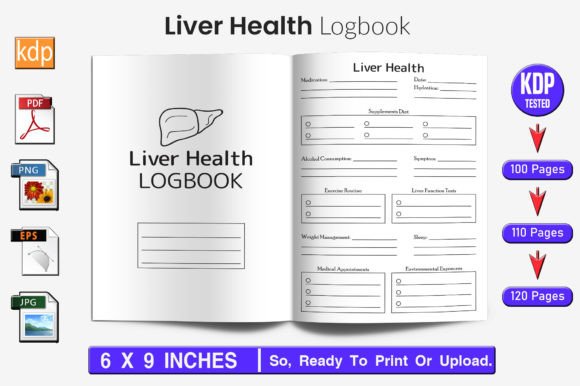
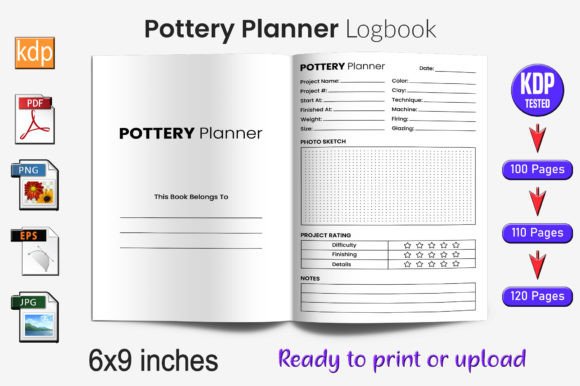
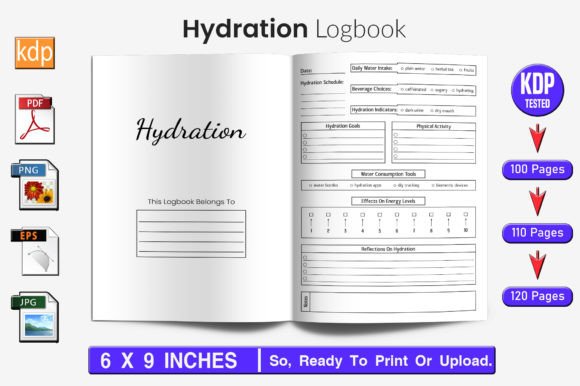
This isn’t a generic template with placeholder text and untested margins. It’s a 100-page (with optional 110- and 120-page variants) interior file built to Amazon KDP’s exact print specifications—6×9 inches trim size, 300 DPI resolution, no bleed, and full KDP validation. Every page has been tested through actual upload, preview, and soft-proofing cycles. That means fewer rejections, fewer revision loops, and more titles live on your KDP dashboard in under an hour—not days.
Where It Fits in Your Publishing Workflow
The Hydration Log Book KDP Interior operates most effectively as a plug-and-play component in a repeatable publishing system. Think of it not as a standalone product, but as a reusable asset—like a standardized invoice template for a freelancer or a branded slide deck for a consultant. Its value multiplies when integrated into a consistent process:
- Before launch: You use the editable EPS files to adjust spacing, font weights, or header styles to match your brand palette—no design software required beyond Illustrator or compatible vector tools.
- During production: You drop in your cover design, assign metadata, and upload the pre-validated interior. No last-minute panic over margin warnings or pixelated previews.
- After publication: You reuse the same interior across multiple niches—swap “hydration” for “meditation,” “vitamin,” or “caffeine,” then repurpose the structure for new log book variations with minimal effort.
This workflow compatibility extends to how you manage your catalog. If you’re running batch uploads—say, launching five wellness-themed log books in one week—the Hydration Log Book KDP Interior becomes a stable anchor. You maintain visual continuity across titles while varying only the cover and title keywords. That consistency builds trust with buyers who recognize your clean, professional formatting across categories.
Integration With Tools and Platforms
The interior file works seamlessly alongside common tools used by low-content publishers. Because it includes editable EPS source files, transparent-background PNGs, and high-res JPGs, it adapts to different stages of your pipeline:
- Adobe Illustrator or Affinity Designer: Resize pages or adjust layout proportions without quality loss—critical when testing alternate trim sizes like 5×8 or 7×10 for future releases.
- Canva or Visme: Import the PNGs as layered assets for quick mockups or social media teasers—no need to recreate page grids from scratch.
- KDP Dashboard: Upload the print-ready PDF directly. Since bleed is disabled and margins meet KDP guidelines, the preview renders accurately every time—reducing the need to toggle between preview modes or re-export.
- Project management tools (Notion, ClickUp, Trello): Store the interior file alongside your keyword research, competitor analysis, and launch checklist—keeping all assets for a given title in one logical location.
You don’t need advanced design skills to use it—but having access to vector editing unlocks long-term flexibility. For example, if you later decide to add weekly reflection prompts or hydration milestone trackers, you can insert them cleanly using the existing grid structure instead of wrestling with rasterized layouts.
Practical Implementation Tips
Here’s how experienced publishers actually use the Hydration Log Book KDP Interior to reduce friction and increase output:
- Batch-edit interiors first, then covers. Open the EPS file, update headers and footer fonts once, export all three page counts (100/110/120), and save each as a distinct PDF. Now you have three ready-to-upload interiors—no repeated formatting per title.
- Use the PNGs for A+ Content and ads. The transparent background lets you overlay hydration icons or progress bars onto lifestyle images—ideal for Amazon A+ modules or Facebook ad creatives that show real usage context.
- Validate before finalizing your cover. Upload the interior first, generate the KDP preview, and confirm spacing around the spine gutter and top/bottom margins. Then build your cover to match those exact measurements—eliminating misalignment surprises.
- Store versions with clear naming conventions. Use filenames like “Hydration_Log_100pg_v2_KDPtest.pdf” instead of “final_final_v3.pdf”. This prevents accidental uploads of outdated files during high-volume publishing sprints.
Consistency isn’t about uniformity—it’s about reliability. When your interior always meets KDP’s technical bar, you free up mental bandwidth to focus on what matters more: researching underserved niches, refining your keyword strategy, or improving your author branding.
Long-Term Usability and Quality Control
What makes this interior sustainable across dozens of titles—and potentially years of publishing—is its intentional simplicity and technical rigor. Unlike raster-heavy templates that blur when scaled, the vector foundation ensures crisp lines at any size. The 300 DPI resolution satisfies KDP’s print requirements while keeping file size manageable (under 15 MB for most exports), avoiding upload timeouts.
There’s also built-in adaptability for audience needs. The blank-lined or dotted grid layout supports handwriting, bullet journaling, or light annotation—making it viable for both digital planners (when printed at home) and physical notebooks sold via Print-on-Demand partners beyond Amazon.
Quality control starts before upload. Because the file was tested on KDP—not just verified against guidelines—you avoid common pitfalls: text cut-off near the gutter, faint gray lines appearing too light in print, or inconsistent line spacing between pages. That pre-validation saves hours of troubleshooting per title, especially for creators managing multiple accounts or launching across KDP regions (US, UK, DE).
Over time, you’ll notice patterns: certain page counts convert better for specific audiences (e.g., 120 pages for fitness professionals who want space for notes), or particular font pairings resonate more strongly in wellness categories. The editable nature of the interior lets you capture those insights and iterate—without rebuilding from zero.
Moving Beyond One-Off Titles
The Hydration Log Book KDP Interior gains strategic weight when viewed as part of a broader content architecture. It’s not just for hydration logs—it’s a modular interior system. Once you’ve adjusted spacing, headers, and page numbering logic, you can apply those same structural decisions to sleep trackers, mood journals, or habit streak logs. That cross-category reuse is where low-content publishing shifts from side hustle to scalable business.
No tool replaces research or market awareness. But having a technically sound, easily adaptable interior removes one persistent bottleneck: the gap between idea and execution. When your workflow runs smoothly—when uploading feels routine, not risky—you publish more, test faster, and learn quicker. And that’s how sustainable growth begins: not with volume alone, but with velocity rooted in preparation.