Writing Planner Page KDP Interior: A Practical, Print-Ready Resource for Authors and Planners
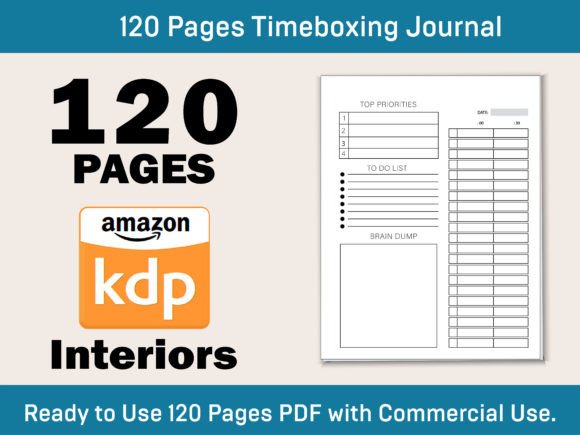
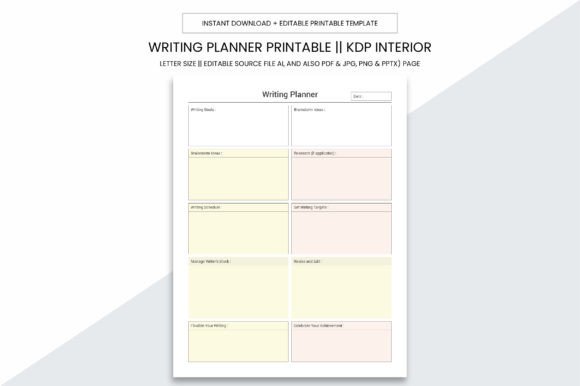
A Writing Planner Page KDP Interior is a purpose-built, printable interior file designed specifically for authors, journal creators, and small publishers preparing books for Amazon Kindle Direct Publishing (KDP). Unlike generic templates or free PDFs found online, this version delivers a cohesive, production-ready 109-page layout optimized for KDP’s formatting requirements—no bleed, precise 8.5 x 11 inch dimensions, and high-resolution output at 300 PPI. It’s not just a collection of pages; it’s a functional system built to support planning, tracking, and reflection across writing projects.
What Sets This Writing Planner Page KDP Interior Apart
The defining traits lie in its technical readiness and flexibility. First, it includes editable source files in Adobe Illustrator (.ai), enabling users who own design software to customize fonts, colors, spacing, or section order without compromising print quality. Alongside the .ai file are multiple export formats: PDF (for immediate KDP upload), JPG and PNG (for digital previews or social sharing), and even PPTX (for adapting layouts into slide-based workshops or teaching materials). This multi-format support bridges creative control with practical deployment.
Its 8.5 x 11 inch size aligns with KDP’s standard paperback trim options, eliminating guesswork during setup. The “no bleed” specification means margins are intentionally conservative—ideal for planners where users write directly on the page and need reliable, unclipped space near edges. Combined with 300 PPI resolution, every line, grid, and header prints crisply, whether used in a home printer, local print shop, or KDP’s global fulfillment network.
How It Fits Into Real-World Planning Workflows
This Writing Planner Page KDP Interior serves three overlapping use cases: personal organization, commercial product creation, and KDP publishing. For individuals, it functions as a structured logbook—tracking word count goals, revision timelines, character notes, or submission deadlines across novels, scripts, or nonfiction manuscripts. Its 109-page count provides enough depth for sustained projects without overwhelming new users.
For small businesses or content creators, it acts as a foundation for branded planner products. Because the .ai file is editable, designers can integrate custom logos, adjust color palettes to match existing product lines, or reorganize sections to reflect niche audiences—such as academic writers, screenwriters, or journaling coaches. That adaptability makes it more versatile than static PDF-only planners that lock users into fixed layouts.
In KDP publishing contexts, the interior eliminates common formatting pitfalls: inconsistent margins, incorrect gutter spacing, or embedded fonts that don’t render reliably. Since it’s pre-formatted to KDP standards—including proper spine calculation readiness and CMYK-safe grayscale design—it reduces the number of upload revisions needed before approval. That saves time, especially for authors launching multiple titles or building series-based planner collections.
Comparison With Other Planning Resources
Compared to free downloadable PDF planners, this Writing Planner Page KDP Interior offers greater fidelity and control. Free versions often lack editable source files, use low-resolution graphics, or include watermarks. They may also assume US Letter sizing but omit critical details like margin allowances for binding—leading to text being cut off when printed through KDP. This version avoids those gaps by prioritizing production accuracy over visual flair alone.
When weighed against full-service design agencies or custom layout services, it represents a middle ground: more capable than off-the-shelf templates, less involved than hiring a designer for each project. It’s ideal for users with basic design familiarity—or those willing to learn Illustrator fundamentals—who want autonomy without sacrificing professionalism.
It differs from digital-only tools like Notion or Evernote templates in that it supports tactile engagement. Writers who prefer handwriting notes, sketching storyboards, or physically checking off milestones benefit from a physical artifact. However, it doesn’t replace cloud-synced collaboration or search functionality—so hybrid workflows (e.g., drafting digitally, then transferring key insights into the printed planner) often work best.
Strengths and Practical Tradeoffs
Key strengths include consistency, scalability, and format integrity. Because all 109 pages follow the same structural logic—consistent headers, uniform grid spacing, logical progression from goal-setting to reflection—the user experience remains predictable across long-term use. That predictability supports habit formation, especially for writers managing irregular schedules or multiple concurrent projects.
One tradeoff is learning curve. While the PDF is ready to use immediately, unlocking the full potential of the .ai file requires access to Adobe Illustrator and some familiarity with layers, text boxes, and export settings. Users without that access may find themselves limited to minor tweaks within PDF editors—or outsourcing final adjustments.
Another consideration is scope. This interior focuses on linear, page-turning planning—not interactive elements like QR codes, hyperlinked tables of contents, or layered digital overlays. If your goal involves multimedia integration or app-connected features, this resource won’t meet those needs. Similarly, it doesn’t include marketing copy, cover designs, or back matter—those remain separate responsibilities for the creator.
When This Writing Planner Page KDP Interior Is the Right Choice
This interior suits users who value both structure and autonomy. It’s well-matched for:
- Self-publishing authors launching their first or fifth book and wanting a clean, professional interior that meets KDP’s technical bar without hiring help;
- Planner entrepreneurs building a catalog of themed journals (e.g., “NaNoWriMo Prep,” “Memoir Writing Tracker”) and needing a scalable, editable base;
- Educators or writing coaches creating classroom or workshop handouts that students can print, annotate, and bind locally;
- Hybrid creators who combine digital drafting with analog review—and want a consistent, high-quality physical companion.
It’s less suited for users seeking turnkey, fully branded products (e.g., pre-loaded with specific prompts, illustrations, or licensed fonts), or those requiring accessibility features like screen-reader–friendly tagging or adjustable font sizes beyond what Illustrator allows.
Making an Informed Decision
Before choosing this Writing Planner Page KDP Interior, consider how much control you need versus how much time you’re willing to invest. If your priority is speed and simplicity, a ready-to-upload PDF planner may suffice—even if customization options are limited. If you anticipate iterating across multiple titles or adapting layouts for different audiences, the editable .ai file becomes a tangible long-term asset.
Also assess your printing context. Because it’s optimized for local and KDP printing alike, you can test-print a few pages at a neighborhood print shop before committing to a full run—or upload directly to KDP and order a proof copy to verify alignment, contrast, and paper feel. That verification step matters: even technically correct files can look different depending on paper stock, ink saturation, or binding method.
Ultimately, this Writing Planner Page KDP Interior fills a specific gap—not between “free” and “premium,” but between “generic” and “production-ready.” It assumes you’re serious about clarity, consistency, and craft—not just filling pages, but shaping a tool that supports how you actually work.