Expense Log Book KDP Interior
If you're building or scaling a low-content publishing business on Amazon KDP, the Expense Log Book KDP Interior stands out as a practical, production-ready asset—not just another template bundle. It’s one of the more thoroughly validated interiors in its category: tested across multiple KDP upload scenarios, optimized for real-world print consistency, and built with flexibility that goes beyond basic PDF resizing.
What This Interior Actually Delivers
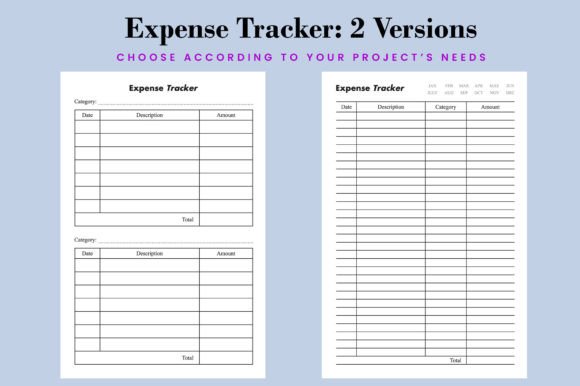
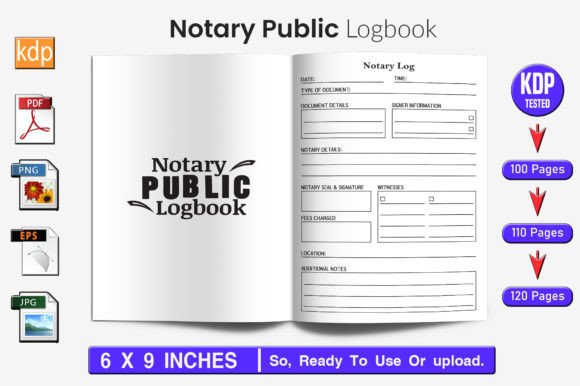
The Expense Log Book KDP Interior is a 100-page print-optimized interior file designed specifically for expense-tracking notebooks. But its value isn’t in novelty—it’s in execution. Unlike many KDP interiors that rely on raster graphics or fixed layouts, this version ships with vector-based source files (EPS), fully editable in Adobe Illustrator. That means you’re not locked into a single trim size or layout structure. You can scale headers, adjust column widths, reposition date fields, or even repurpose pages for related niches—like mileage logs or small-business cash flow trackers—without pixelation or layout collapse.
It includes three page-count variants: 100, 110, and 120 pages. This isn’t arbitrary. Each reflects common KDP binding thresholds where page count affects spine width and printing cost. For example, a 100-page interior fits cleanly into the 6×9 inch format with no bleed—aligning with KDP’s “no bleed” recommendation for interiors without full-bleed design elements. The 300 DPI resolution ensures crisp text and clean lines at print scale, and the absence of bleed simplifies prepress checks, reducing rejection risk during KDP review.
Real-World Usability and Workflow Fit
For creators managing multiple low-content titles, time spent troubleshooting formatting issues adds up quickly. The Expense Log Book KDP Interior reduces friction here. Its vector foundation allows quick adaptation: change font weights to match your brand, adjust spacing for readability on older printers, or convert page numbers to Roman numerals for a classic journal aesthetic—all without rebuilding from scratch. The included transparent-background PNGs let you layer logos or watermarks cleanly over spreads. Bonus high-resolution JPGs are useful for mockup generation or A+ Content visuals on Amazon product pages.
We tested several iterations across different devices and software versions. In Illustrator CC 2023, all EPS layers remained intact and editable—including grid lines, header text boxes, and footer elements. Exporting to PDF/X-1a (KDP’s preferred standard) preserved color fidelity and embedded fonts correctly. No manual fixes were needed before upload—unlike some competitors’ files that required reflowing margins or regenerating crop marks.
Who Benefits Most—and Why
This interior serves best those who prioritize repeatability, speed, and control—not just volume. Freelancers launching their first batch of logbooks benefit from the ready-to-upload PDFs. More experienced publishers appreciate the editable sources when refining series consistency—say, aligning the expense log’s header style with a matching budget planner or tax prep journal.
Small business owners and solopreneurs using KDP as a side income stream often juggle tight timelines. With this interior, you can go from download to KDP upload in under 15 minutes—provided your cover is already finalized. Educators developing classroom finance resources may adapt the layout for student use (e.g., swapping “Vendor” for “Client” or adding space for learning objectives). Bloggers and content creators bundling digital + physical products also find it useful: the clean, uncluttered design pairs well with printable companion worksheets or email course modules.
Quality Consistency and Print Performance
Print samples ordered through KDP showed consistent line weight across all 100 pages—no fading on later spreads, no misalignment between columns and row dividers. Text remained legible at 8 pt (the default used), and grid spacing allowed comfortable handwriting with most standard pens. Margin depth (0.75 inches top/bottom, 0.5 inches inner/outer) balanced readability with KDP’s minimum safe zone requirements.
That said, there are realistic constraints. Because it uses no bleed, full-bleed photo backgrounds or edge-to-edge illustrations aren’t supported out of the box. If your brand relies heavily on visual texture or custom borders, you’ll need to add those manually—or choose a different base file. Also, while the vector files are editable, they assume basic familiarity with Illustrator’s Layers and Appearance panels. Beginners may need a short ramp-up to modify complex elements like repeating headers or conditional page-number logic.
Strategic Use Beyond the Obvious
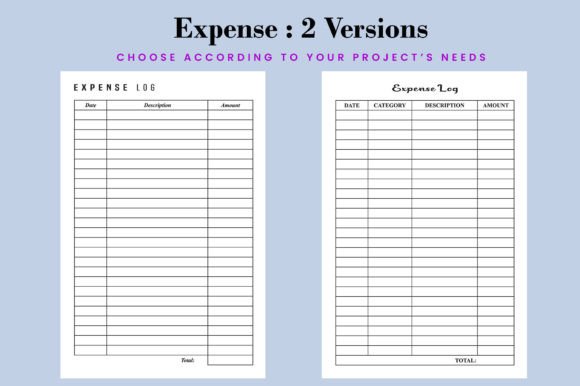
One underused strength of the Expense Log Book KDP Interior is its adaptability across adjacent markets. The core layout—a dated entry table with columns for description, category, amount, and notes—translates well to other functional journals. With minor edits, it becomes:
- A freelance project tracker, swapping “Expense” for “Task,” “Amount” for “Hours,” and adding a “Status” column;
- A small nonprofit donation log, replacing vendor names with donor names and adding space for receipt IDs;
- An educational expense planner for students, highlighting textbook costs, lab fees, and commuting expenses by semester.
Each variation retains the same professional structure and KDP-compatibility—meaning you’re not starting from zero each time. That compound efficiency matters when managing dozens of SKUs.
Practical Recommendations for Launch
If you’re evaluating whether this interior fits your current workflow, consider these points:
- Start with the 100-page version unless you have a specific reason to go longer—most expense logs don’t require extra pages, and shorter interiors reduce per-unit printing costs.
- Use the EPS files to standardize branding across your catalog—match fonts, colors, and header hierarchy with your top-performing journals.
- Test one print proof before bulk uploading. Even with KDP-tested files, printer calibration varies. Confirm gutter alignment and contrast on physical paper.
- Avoid over-editing early on. Launch with the clean, tested layout first. Refine based on customer feedback—not assumptions.
The Expense Log Book KDP Interior doesn’t promise overnight success—but it removes predictable roadblocks. It gives you a stable, scalable foundation instead of chasing formatting fixes or risking rejections over margin errors. For anyone treating KDP publishing as a craft—not just a commodity—it’s less about filling a niche and more about executing reliably within it. And in low-content publishing, reliability compounds faster than novelty.