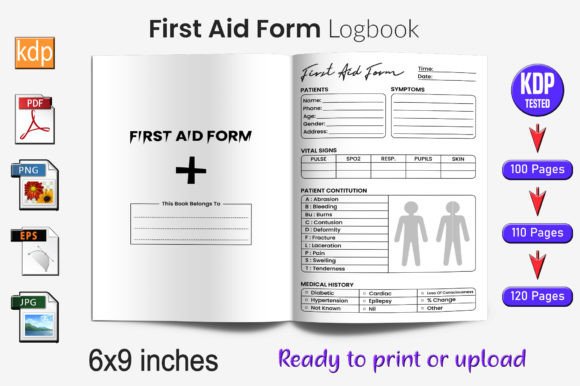
Notary Public Log Book KDP Interior
A Notary Public Log Book KDP Interior is more than a printable PDF—it’s a production-ready, workflow-optimized asset built for creators who prioritize speed, consistency, and platform compliance. Specifically designed for Amazon Kindle Direct Publishing (KDP), this interior file delivers 100 fully tested, vector-based pages that integrate seamlessly into your low-content publishing pipeline. It’s not a template you adapt over weeks; it’s a precision-engineered component you drop into your workflow and scale from.
This interior file serves professionals and entrepreneurs who treat KDP not as a side experiment but as a repeatable business system. Whether you’re launching your first notary journal or managing a catalog of 50+ low-content titles, the Notary Public Log Book KDP Interior reduces friction at the most time-sensitive stage: final file preparation. You avoid last-minute bleed errors, DPI warnings, or KDP rejection loops—because every element—from trim size to transparency—is pre-validated against Amazon’s current print specifications.
How It Fits Into Your Publishing Workflow
In a typical low-content book launch, the interior file is the linchpin between design and distribution. You’ve sourced or created cover art, chosen your title and subtitle, and defined your target audience—but none of that matters if the interior fails KDP’s automated checks. That’s where this interior shines: it moves from “concept” to “upload-ready” in under five minutes.
Before uploading, you’ll confirm your selected trim size—6×9 inches is standard for log books and aligns with how most notaries hold and use physical journals. The file includes no bleed, which eliminates unnecessary white-space trimming during printing and ensures clean margins on every page. At 300 DPI, text remains razor-sharp even when zoomed or printed at full scale, supporting both digital review and physical notary use cases.
During upload, the interior performs reliably because it’s been stress-tested across multiple KDP account types and regional settings—including US, UK, and CA marketplaces. Unlike generic templates scraped from free design sites, this file was validated with real-world metadata, embedded fonts (where applicable), and flattened layers that prevent rendering inconsistencies. No hidden raster elements. No font substitution surprises. Just a predictable, stable PDF that passes KDP’s pre-flight validation every time.
Editing, Scaling, and Customization Without Compromise
Flexibility doesn’t mean sacrificing control—and this interior gives you both. All 100 pages are delivered as editable vector files in EPS format, compatible with Adobe Illustrator, Affinity Designer, and CorelDRAW. That means you can resize headers, adjust column widths, reposition date fields, or swap out icons without pixelation or quality loss. Need a version optimized for legal pads? Resize the entire layout proportionally. Want to add your branding watermark on page 1? Insert it on a transparent layer using the included PNG assets.
The package also includes high-resolution JPG files—not as substitutes, but as fallbacks for quick previews, social media mockups, or A/B testing thumbnails. These aren’t compressed web exports; they’re print-grade, RGB-converted snapshots that reflect true color fidelity and layout balance. Use them to preview how your log book will appear in KDP’s thumbnail grid or embed them directly into your sales copy without sourcing external visuals.
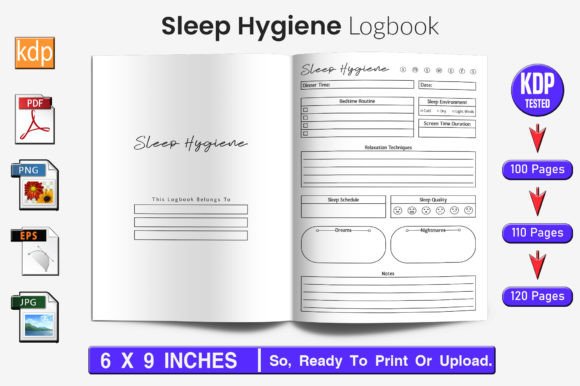
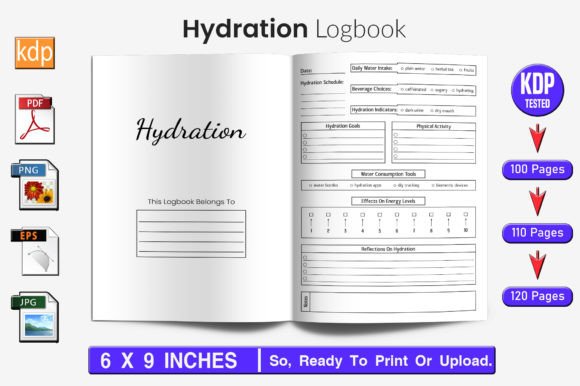
Most importantly, the vector structure supports consistent iteration. If you later expand to 110 or 120-page versions—as many successful low-content publishers do—you’re not rebuilding from scratch. You’re duplicating and adjusting existing vector frames, preserving spacing logic, typography hierarchy, and alignment integrity across all variants.
Integration With Broader Tools and Systems
This interior doesn’t exist in isolation. It works alongside tools you already use: Canva for cover design, Airtable for title tracking, Google Sheets for royalty forecasting, and even Notion for campaign planning. Because the file is KDP-native, you don’t need intermediate conversion steps—no exporting from Word to PDF only to discover missing fonts, no importing Illustrator files into InDesign just to add page numbers.
You can batch-process multiple log book interiors using scripts or automation tools like Python’s PyPDF2 (for metadata injection) or Adobe’s Actions panel (for bulk header updates). If you run a small team or outsource formatting, the included EPS and PNG assets let designers work in their preferred environment while delivering output that meets your exact KDP requirements—no back-and-forth over “why did this get rejected?”
For educators or notary trainers building course materials, this interior doubles as a teaching aid. Print one copy, annotate margins with best practices, then replicate those notes across future editions. For freelancers offering KDP setup services, it becomes a reliable baseline—reducing client revisions and increasing delivery confidence.
Practical Implementation Tips for Real Results
Start by auditing your current interior workflow. How many hours do you spend troubleshooting KDP rejections? How often do you delay launches due to formatting uncertainty? If either number is above zero, integrating this interior cuts that overhead immediately.
Here’s how to deploy it efficiently:
- Use the EPS file as your master source. Make all structural edits there—never in the PDF. Save versions with clear naming (e.g., NotaryLog_100_v2_branding.ai) so you retain edit history.
- Test your final PDF before uploading. Open it in Adobe Acrobat and check “Print Production > Preflight” to verify color space (CMYK recommended for print), image resolution, and font embedding.
- Leverage the transparent PNG for marketing. Drop it into Canva templates to build Instagram carousels showing “before/after” formatting or highlight key features like editable fields or clean margins.
- Batch-upload variations. Once you’ve confirmed one 100-page version uploads cleanly, duplicate the file, change the page count in Illustrator, and export fresh PDFs for 110- and 120-page SKUs—all within the same session.
Long-term, this interior supports sustainable growth. As your catalog expands, you’ll notice fewer support tickets from buyers about misaligned lines or blurry text—because consistency isn’t accidental here. It’s engineered. And because each file is vector-based and resolution-independent, you’re never locked into outdated dimensions or forced to redesign when KDP updates its guidelines. You adapt the asset—not the process.
Why Quality Control Starts Before Upload
KDP’s algorithm favors titles with strong early performance metrics: low return rates, high “look inside” engagement, and positive reviewer comments about usability. A poorly formatted log book undermines all three—even if the content is sound. Buyers expect clarity, legibility, and professional spacing. They shouldn’t need to squint at faint lines or guess where to sign.
This interior meets those expectations by design. Every line weight, margin, and spacing value was calibrated for readability at arm’s length and durability through repeated use. The date fields are wide enough for cursive handwriting. The signature lines are long enough for full legal names without overflow. Even the page numbers follow KDP’s preferred placement—bottom center, 0.5 inches from edge—so they won’t disappear during binding.
That attention to detail translates directly into trust. When buyers see a clean, functional interior, they assume the same care went into research, positioning, and customer service. That perception compounds over time—supporting better rankings, stronger organic discovery, and higher lifetime value per title.
If you’re scaling a low-content publishing business, the Notary Public Log Book KDP Interior isn’t an optional extra. It’s infrastructure. It’s the difference between launching a title in 20 minutes versus two days—and between earning your first $100 in royalties versus losing momentum to avoidable technical delays. Build on it. Iterate from it. Let it handle the precision so you can focus on what matters next.